Stacked tabs
Obsidian has a feature to stack tabs. This resembles a tiling window manager like PaperWM, but for notes. I like it especially on a wide-screen monitor.
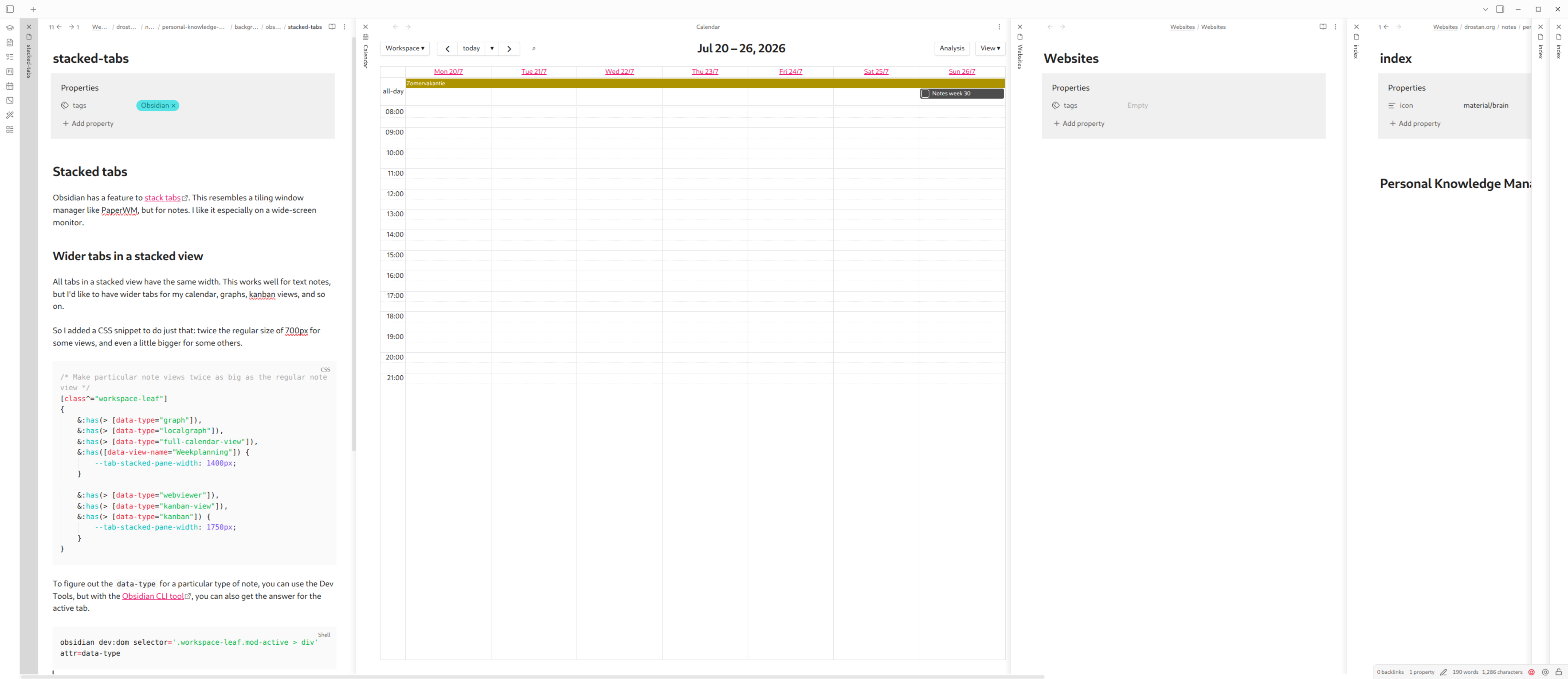
Wider tabs in a stacked view
All tabs in a stacked view have the same width. This works well for text notes, but I'd like to have wider tabs for my calendar, graphs, kanban views, and so on.
So I added a CSS snippet to do just that: twice the regular size of 700px for some views, and even a little bigger for some others.
.obsidian/snippets/wide-notes.css
/* Make particular note views twice as big as the regular note view */
[class^="workspace-leaf"]
{
    &:has(> [data-type="graph"]),
    &:has(> [data-type="localgraph"]),
    &:has(> [data-type="full-calendar-view"]),
    &:has([data-view-name="Weekplanning"]) {
        --tab-stacked-pane-width: 1400px;
    }

    &:has(> [data-type="webviewer"]),
    &:has(> [data-type="kanban-view"]),
    &:has(> [data-type="kanban"]) {
        --tab-stacked-pane-width: 1750px;
    }
}
To figure out the data-type for a particular type of note, you can use the Dev Tools, but with the Obsidian CLI tool, you can also get the answer for the active tab.
Enabling the CSS snippet under Settings > Appearance and adjust the widths or add views.